Nose Job - Plastic Surgery AI
ALICAN TILKIBeauty
4.24.00 Reviews
- Version
- 1.3.5
- Installs
- 10.00K
- Age Rating
- Everyone
Screenshots
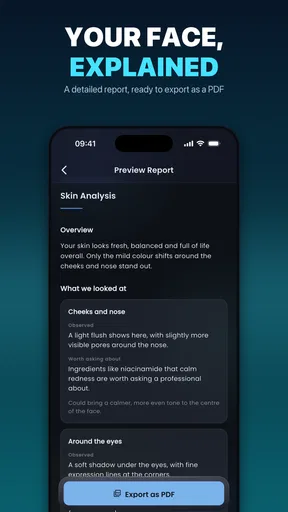
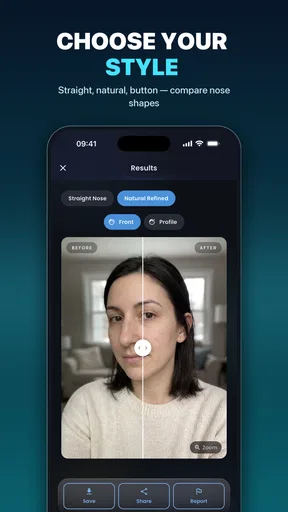
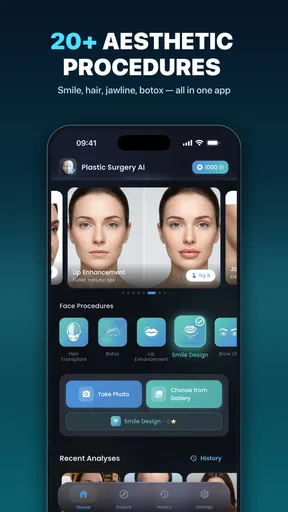
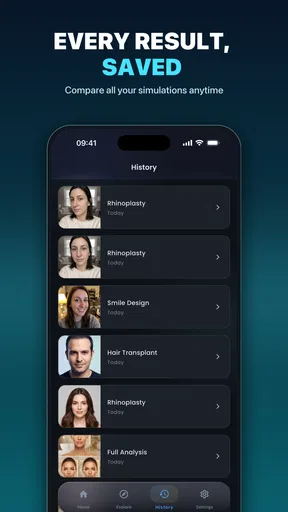
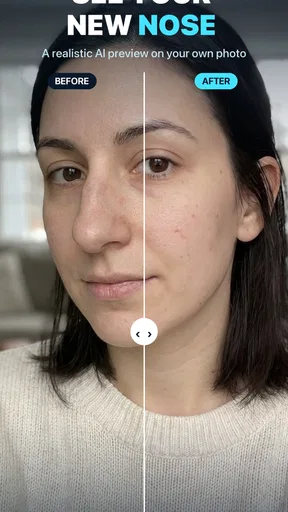
Our Review of Nose Job - Plastic Surgery AI
 Analysis by Appyee
I found Nose Job - Plastic Surgery AI most useful as a visual conversation starter rather than a promise of what someone will look like after surgery. It belongs to the beauty category and focuses on editing a face to preview changes to the nose, lips, and jawline. That narrow purpose gives it a clear identity: instead of offering a broad collection of filters, it asks one practical question—how might a facial adjustment change the balance of a portrait?
My overall view is positive, with an important qualification. The app is easy to understand and potentially helpful when you want to compare subtle ideas before discussing them with a professional. It is less suitable if you expect a medically reliable simulation, a complete photo editor, or a replacement for an in-person consultation. I would recommend it to curious users who want a quick, private-looking visual experiment, provided they treat every result as an approximation.
What the editing experience does well
The strongest part of the app is its focused workflow. A nose is not viewed in isolation; even a small change can affect how the lips, chin, cheeks, and jaw appear together. By bringing nose, lip, and jawline adjustments into the same face-editing experience, the app encourages a more realistic way of thinking about appearance. I found that more useful than testing a nose effect alone and judging it without considering the rest of the face.
The AI angle also makes the concept approachable. You do not need to understand professional retouching tools or manually trace every edge of a feature. For someone who has never used a detailed photo editor, that simplicity is a genuine advantage. The appeal is not just speed; it is the ability to explore an idea without first learning a complicated interface.
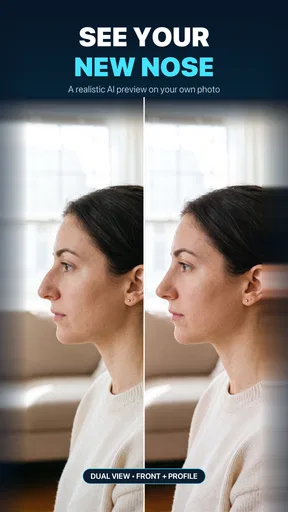
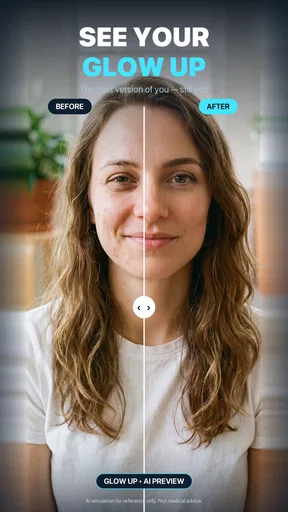
One practical strength is comparison. Rather than relying on memory, I can look at the original portrait beside an edited version and ask whether the change actually improves the overall balance. That matters because people often focus on one feature in a mirror and overlook how a proposed adjustment interacts with the rest of the face. The app is at its best when used to create several restrained alternatives, not one exaggerated result.
A useful workflow is to begin with the smallest change available, save the visual impression mentally or externally, and then try a second version. Starting dramatically can make the result entertaining, but it tells you less about the kind of subtle change people usually want to discuss. Comparing gentle edits helps separate a genuine preference from the surprise of seeing any altered version of your face.
I also like the possibility of using the editor before a consultation as a communication aid. A person may struggle to explain what feels unbalanced about a profile or front-facing portrait. A carefully chosen preview can help start that conversation. It should not be treated as an instruction for a surgeon, but it can make personal preferences easier to describe: softer, narrower, less prominent, or simply different in proportion.
The same principle applies to lips and the jawline. Changing only the nose may lead to an overly narrow view of the face. Testing related areas can show why a desired result is sometimes about overall proportion rather than one isolated feature. This is one of the more valuable insights hidden inside the app’s simple premise: the edit can help users question what they actually want changed.
There is also a creative use case for people who are not considering surgery at all. I can imagine using it to understand portrait composition, test a character reference, or explore how a face reads under different proportions. That does not make the app a general art tool, but it gives the editor more value than a one-time curiosity if the user approaches it as visual experimentation.
The app is free to install, which lowers the barrier to trying the basic concept. It carries an Everyone age rating, so its presentation is positioned for a broad audience. At the same time, the presence of in-app purchases ranging from $9.99 to $99.99 per item means I would not assume that every editing possibility is included without cost. Anyone considering extended use should check the purchase screen carefully before confirming anything.
Its current version is 1.3.5, and the minimum operating system is Android 7.0. Those details make it accessible to many older Android devices, although compatibility is not the same as identical performance on every phone. AI image processing can feel more comfortable on a newer device, especially when working with high-resolution portraits, so I would keep expectations realistic if the phone is older or has limited storage and memory.
How I would use it for a real decision
Imagine someone has a family event in a few months and has started thinking about a rhinoplasty consultation after seeing unflattering side photographs. Instead of making a decision from a single picture, that person could use several clear portraits with different expressions and lighting, then make modest edits. The goal would be to notice patterns: does the same preference appear across images, or does it only seem appealing in one angle?
That approach is more reliable than editing a heavily filtered selfie. A front-facing image can hide profile concerns, while a side view can exaggerate them. If the app allows a user to work with different portraits, the best practice is to keep the source images as natural as possible and compare the edited face with the untouched original. The result still will not predict surgery, but it can expose whether the desired change is consistent.
I would also avoid judging an edit immediately after making it. Familiarity with your own face makes any alteration look strange at first. Looking again later, or asking a trusted person whether the result seems balanced rather than merely “different,” can produce a more useful reaction. This is a small but important discipline because AI editing makes it easy to mistake novelty for improvement.
Another worthwhile tactic is to change one area at a time. If the nose, lips, and jawline are all altered together, it becomes difficult to know which adjustment is responsible for the result. Testing the nose first, then restoring it and examining the jawline separately, gives a clearer sense of personal preference. Only after that would I combine changes, and even then I would keep the result conservative.
Where the simulation reaches its limits
The central weakness is that a generated preview is not a clinical forecast. Surgery involves anatomy beneath the visible surface, skin behavior, healing, swelling, surgical technique, and the judgment of a qualified professional. A face editor cannot account for all of those factors simply by changing the appearance of a photograph. The image may look convincing while still being unrealistic as a prediction.
Lighting and camera angle are another source of friction. A wide-angle selfie can make the center of the face appear more prominent, while a side portrait may emphasize the nose or chin differently from everyday conversation. If the source image is poor, the edit can give false confidence. I would not use one dramatic photo as the foundation for a serious decision, and I would be cautious about interpreting a result as objective.
AI editing can also produce a polished illusion that hides small inconsistencies. Edges, shadows, skin texture, or the relationship between edited features may not behave exactly as they would in a real face. These issues may be easy to overlook when viewing the image quickly on a phone. Zooming in and checking whether the surrounding features still look natural is worthwhile, especially before sharing the result with someone else.
There is an emotional limitation too. Repeatedly adjusting a face can encourage users to search for flaws instead of evaluating whether a change is genuinely wanted. I would take breaks and avoid using the app when feeling pressured by social media or a single unflattering photograph. The tool can support reflection, but it can also turn uncertainty into endless tweaking.
Privacy deserves practical attention whenever a beauty editor processes personal portraits. I would read the app’s permission and privacy screens before selecting sensitive images, and I would avoid uploading photographs of other people without their permission. Even when the editing itself feels casual, a face is personal information. That is a reason to choose images carefully and remove anything from the camera roll that does not need to be used.
The purchase structure is another reason for a measured approach. Free access is helpful for testing whether the editing style suits you, but optional items between $9.99 and $99.99 can make experimentation expensive if you tap through quickly. I would first decide what I actually need, review the exact charge shown by the store, and avoid treating every extra effect as necessary. For a one-time visual check, a broad purchase may not offer good value.
Who should choose it, and who should look elsewhere
I think the app is a good fit for someone who wants a straightforward way to explore facial proportions without learning a professional retouching program. It is especially relevant to people preparing questions for a cosmetic consultation, comparing subtle ideas, or trying to understand whether their concern is about the nose itself or the relationship between several features.
It may also suit a user who wants a quick, focused tool instead of a large beauty suite filled with makeup, lighting, stickers, and social effects. The narrower purpose is an advantage when the task is specifically about facial structure. You can spend less time searching through unrelated filters and more time comparing the particular change that interests you.
I would be more cautious recommending it to teenagers or anyone already feeling distressed about their appearance. The Everyone rating describes the app’s broad content classification, not whether every user will have a healthy experience with appearance editing. If the app makes you more anxious, more self-critical, or more dependent on repeated changes, stopping is the better choice.
Someone seeking a professional-grade retouching workflow may prefer a conventional photo editor with precise masks, layers, and manual controls. That kind of software takes longer to learn, but it can offer more control over exactly what is changed. On the other hand, a person who wants medical guidance should skip both options as decision-making authorities and speak directly with a qualified practitioner.
Compared with ordinary beauty-filter apps, this editor’s appeal is its emphasis on structural changes rather than temporary makeup or lighting effects. Compared with advanced photo software, its appeal is convenience rather than precision. That trade-off defines the experience: it is easier to try, but the user has less control and should place less trust in the image as a prediction.
The developer is ALICAN TILKI, and the app has built a modest audience, with over 10K installs and a 4.2 average from around 135 ratings. Those figures suggest that people are finding enough value to try and rate it, but I would still judge it through my own use case rather than popularity. A focused beauty app can be worthwhile for a small audience even when it is not the right tool for everyone.
My verdict after weighing the trade-offs
I see Nose Job - Plastic Surgery AI as a practical preview tool with a clearly limited job. Its best contribution is helping users compare facial proportions and put vague preferences into words. The strongest results come from natural source photos, restrained edits, one feature at a time, and a willingness to treat the output as a discussion aid rather than a promise.
The app is less convincing when users expect clinical accuracy, perfect realism, or unlimited editing without additional cost. The paid items deserve attention, and the emotional side of appearance editing should not be ignored. A realistic-looking image can still be misleading, particularly when the original photograph has unusual lighting or an unflattering angle.
For me, the deciding question is simple: do you want to explore an idea, or do you want an answer? If you want exploration, this free beauty app is approachable and focused. If you want certainty about surgery, anatomy, or the result of a procedure, a consultation and professional assessment are far more appropriate. Used with that boundary in mind, it earns a recommendation for curious adults who want a quick visual aid and can keep the experiment in perspective.
Verdict
Strengths of Nose Job - Plastic Surgery AI
- AI previews possible nose-shape changes quickly
- Simple interface suitable for casual users
- Useful for comparing several visual styles
- Can support conversations with a surgeon
- Makes cosmetic ideas easier to communicate
Limitations of Nose Job - Plastic Surgery AI
- Results may look unrealistic or poorly aligned
- AI images are not medical predictions
- Privacy concerns may arise when uploading selfies
- Some features may require payment or subscriptions
- Could encourage unrealistic expectations about surgery
Similar Picks in This Category
View All
Beauty Makeup Editor & Camera
Photo & Video Editors - Instant Solution4.7

Perfect365: Face Makeup Editor
Perfect365, Inc.3.5

Mirror Plus - HD Mirror app
Digitalchemy, LLC4.8

Cute Lock Screen & Wallpapers
Prometheus Interactive LLC4.6

HD Camera for Android
One Music Player4.5

Phone Mirror app - True Mirror
Cards4.6
Frequently Asked Questions
What is Nose Job - Plastic Surgery AI and how does it work?
Nose Job - Plastic Surgery AI is a photo-editing and visualization app designed to show how your nose might look after a cosmetic procedure. After selecting or taking a portrait, you can typically adjust the nose area using the app’s available AI-powered or manual editing tools. The result is a simulated image, not a medical prediction or a guaranteed representation of surgical outcomes.
Is Nose Job - Plastic Surgery AI accurate enough to plan real plastic surgery?
No. The app should be used for entertainment, inspiration, or general visual exploration only. Its results depend on image quality, lighting, facial angle, facial expression, and the editing settings you choose. A digitally modified photo cannot account for anatomy, skin structure, healing, breathing function, or a surgeon’s technique. Always consult a qualified, licensed plastic surgeon before making any medical decision.
Do I need to upload a photo, and what should I know about privacy?
The app may require access to your camera or photo library so it can create a nose-editing simulation. Before uploading personal or other people’s images, review the app’s privacy policy and permission requests carefully. Check whether photos are processed on the device or sent to online servers, how long images are retained, and whether data may be used for analytics, advertising, or service improvement.
Is Nose Job - Plastic Surgery AI free to download and use?
The app may be available as a free download while offering optional purchases, subscriptions, advertisements, or locked editing features. Pricing and included tools can vary by platform, region, and app version. Before confirming a trial or subscription, read the payment screen carefully, check renewal terms, and verify how to cancel through Google Play or the Apple App Store if you decide not to continue.
Can the app show the exact results I would get from rhinoplasty?
No, the edited image should not be interpreted as an exact preview of surgery. Rhinoplasty results are influenced by cartilage, bone structure, skin thickness, facial proportions, surgical goals, and the body’s healing process. Use the app only to communicate general preferences or ideas, and bring realistic questions and expectations to a consultation with a board-certified or appropriately qualified specialist.
